


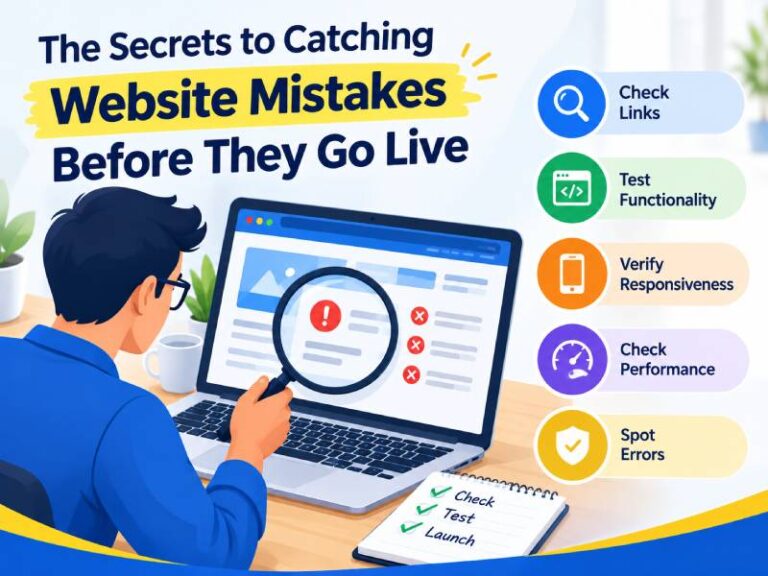
Launching a website is an exciting milestone, but even a small mistake can affect user experience, credibility, conversions, and search visibility. Broken links, incorrect content, slow pages, missing buttons, and mobile display problems can easily go unnoticed without proper testing. The good news is that most website issues can be identified before visitors encounter them. A structured pre-launch testing process allows businesses to review every important element and deliver a smoother digital experience from day one. Whether you are launching a new website or updating an existing one, careful testing can prevent costly mistakes and help your website perform reliably across devices, browsers, and users.
1. Create a Pre-Launch Testing Checklist
One of the easiest ways to miss website errors is to test randomly. Instead, create a detailed checklist covering website design, content, functionality, performance, security, and SEO.
Your checklist should include:
- Navigation and menus
- Forms and contact buttons
- Images and videos
- Internal and external links
- Website content
- Mobile responsiveness
- Page loading speed
- Browser compatibility
- Metadata and SEO elements
- Security and accessibility
A checklist gives your team a repeatable process and reduces the chances of overlooking small but important details.
2. Test Every Link and Button
The broken links are among the most common website mistakes. While before launch, click every important navigation link, call-to-action button, footer link and downloadable resource.
Check whether:
- Links open the correct pages.
- Buttons perform their intended actions.
- Forms submit successfully.
- External links open correctly.
- There are no unnecessary 404 pages.
This simple process can significantly improve usability and prevent visitors from getting frustrated.
3. Check Website Content Carefully
Content mistakes can make an otherwise professional website appear unreliable. While read every page carefully and look for spelling mistakes, grammatical errors, outdated information, incorrect contact details, and inconsistent formatting.
The pay special attention to headings, product descriptions, service pages, prices, addresses, phone numbers and calls to action.
It is also useful to have someone who was not involved in writing the content perform a final review. A fresh pair of eyes can identify mistakes that the original writer may overlook.
4. Test Your Website on Multiple Devices
A website that looks perfect on a desktop may have problems on smartphones or tablets. Since users access websites through different screen sizes, responsive testing should be an essential part of your pre-launch process.
Check:
- Smartphone layouts
- Tablet displays
- Desktop screens
- Navigation menus
- Font sizes
- Image scaling
- Forms and buttons
- Horizontal scrolling
A professional Website Development Company In Jaipur can also perform cross-device testing to identify layout and functionality problems before your website reaches the public.
5. Test Different Browsers
Your website can behave differently depending on the browser being used. The test important pages and functions across commonly used browsers such as Chrome, Safari, Firefox, and Edge.
Look for differences in:
- Fonts
- Images
- Animations
- Menus
- Forms
- Page layouts
- Interactive elements
The Browser testing ensures that your website provides a consistent experience for a wider audience.
6. Check Website Speed
Website speed affects both user experience and overall website performance. While large images, unnecessary scripts, excessive plugins, and poorly optimised code can slow down pages.
When review your major landing pages and identify elements that may be increasing load times. A quicker experience can be achieved through optimizing website code, removing superfluous scripts, activating caching, and compressing graphics.
The speed testing must to be done prior to launch and again following significant revisions.
7. Review Your Website Design
While design problems are sometimes difficult to notice when you have spent weeks working on a website. Take a step back and review the website as a visitor would.
Ask yourself:
- Is the navigation easy to understand?
- Are important buttons clearly visible?
- Is the text easy to read?
- Are colours consistent?
- Is there enough spacing?
- Does every page have a clear purpose?
A Custom Website development Company can help businesses identify design inconsistencies and create a website experience that matches their brand and business objectives.
8. Check Forms and User Interactions
The forms are often connected to leads, enquiries, registrations, or purchases, making them particularly important to test.
Submit each form using different scenarios and verify that:
- Required fields work properly.
- Error messages appear correctly.
- Confirmation messages are displayed.
- Emails reach the intended recipient.
- Data is captured correctly.
- Spam protection works as expected.
Never assume that a form works simply because it appears correctly on the page.
9. Perform an SEO Check
While before going live, review the basic SEO structure of your website. It is essential that each significant page has a suitable title and meta description.
You should also examine headings, alt text for images, URLs, internal links, sitemap settings, and indexing options. Also, make sure that pages created for search engines aren’t unintentionally blocked from indexing.
A Website Design Service Company can combine visual quality with SEO-friendly design practices, helping businesses build websites that are easier for both users and search engines to understand.
10. Conduct a Final User Test
One of the best ways to find hidden mistakes is to ask someone unfamiliar with the website to test it. While give them simple tasks such as finding a service, submitting a contact form, locating pricing, or navigating to a specific page.
it eyes out for any moments of hesitation or confusion. Their input can highlight usability issues that your own team might have missed.
Conclusion
While finding website mistakes before launch is not about checking one or two pages—it is about reviewing the complete user journey. In every element deserves attention from links and content to responsiveness, speed, forms, design, and SEO.
A structured testing checklist, multiple-device testing, browser checks, and real-user feedback can help businesses launch with greater confidence. With the right planning and professional support, your website can provide a reliable and polished experience from the moment it goes live.
Novel Web can help turn a carefully tested website into a strong digital presence built for long-term growth for businesses looking for dependable website solutions.

